
AI Integration
Centralize AI providers and models
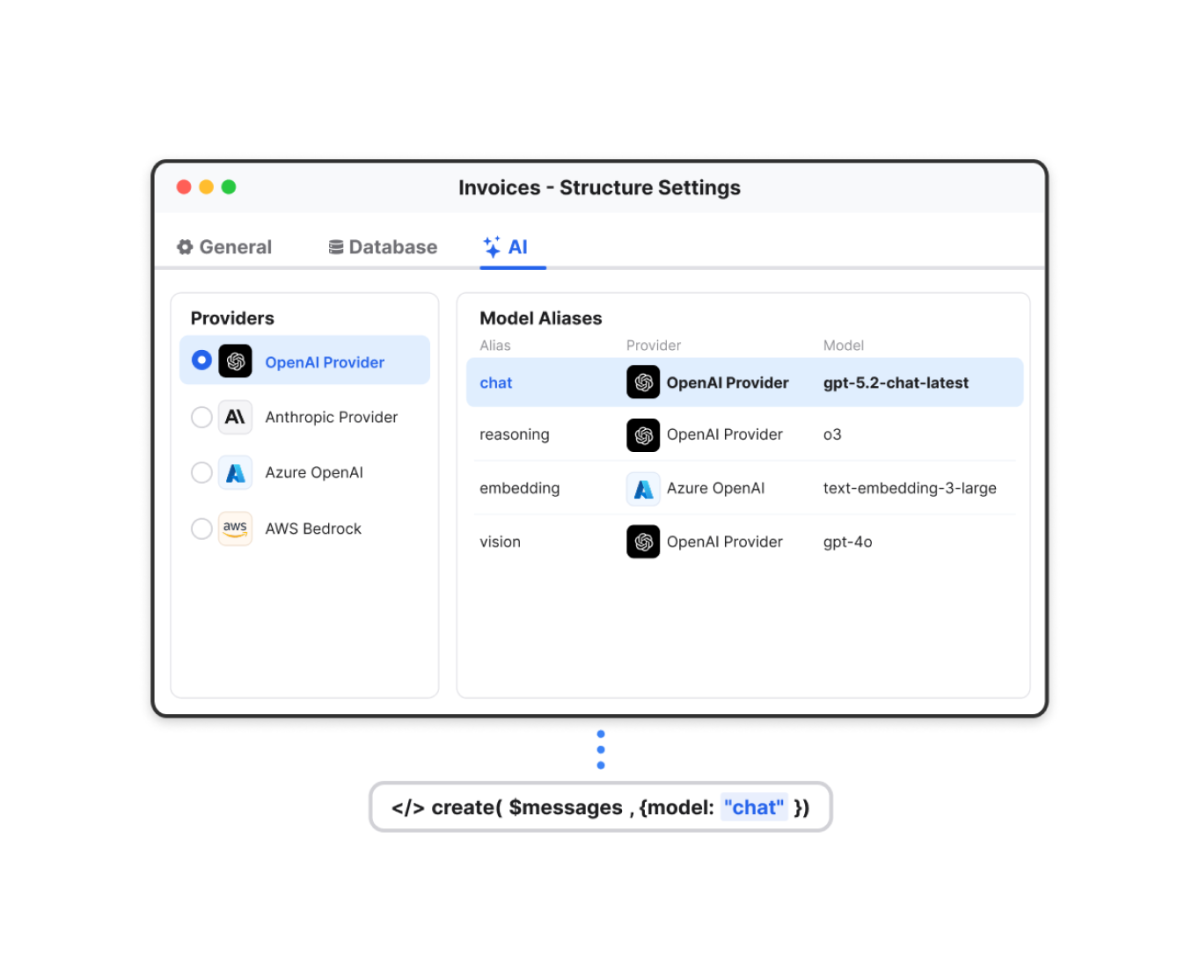
Manage AI providers, credentials, and model selection from a single configuration layer instead of scattering them throughout your code.
Providers can be configured once and reused across the application through direct model references or custom aliases. Teams can switch providers, update models, or adjust credentials without revisiting existing business logic, making AI integrations easier to maintain as projects evolve. Provider and model configurations also remain available at runtime, allowing applications to discover available services and adapt dynamically as AI usage grows.
User Interface
Bring Liquid Glass to macOS and modern UI across platforms
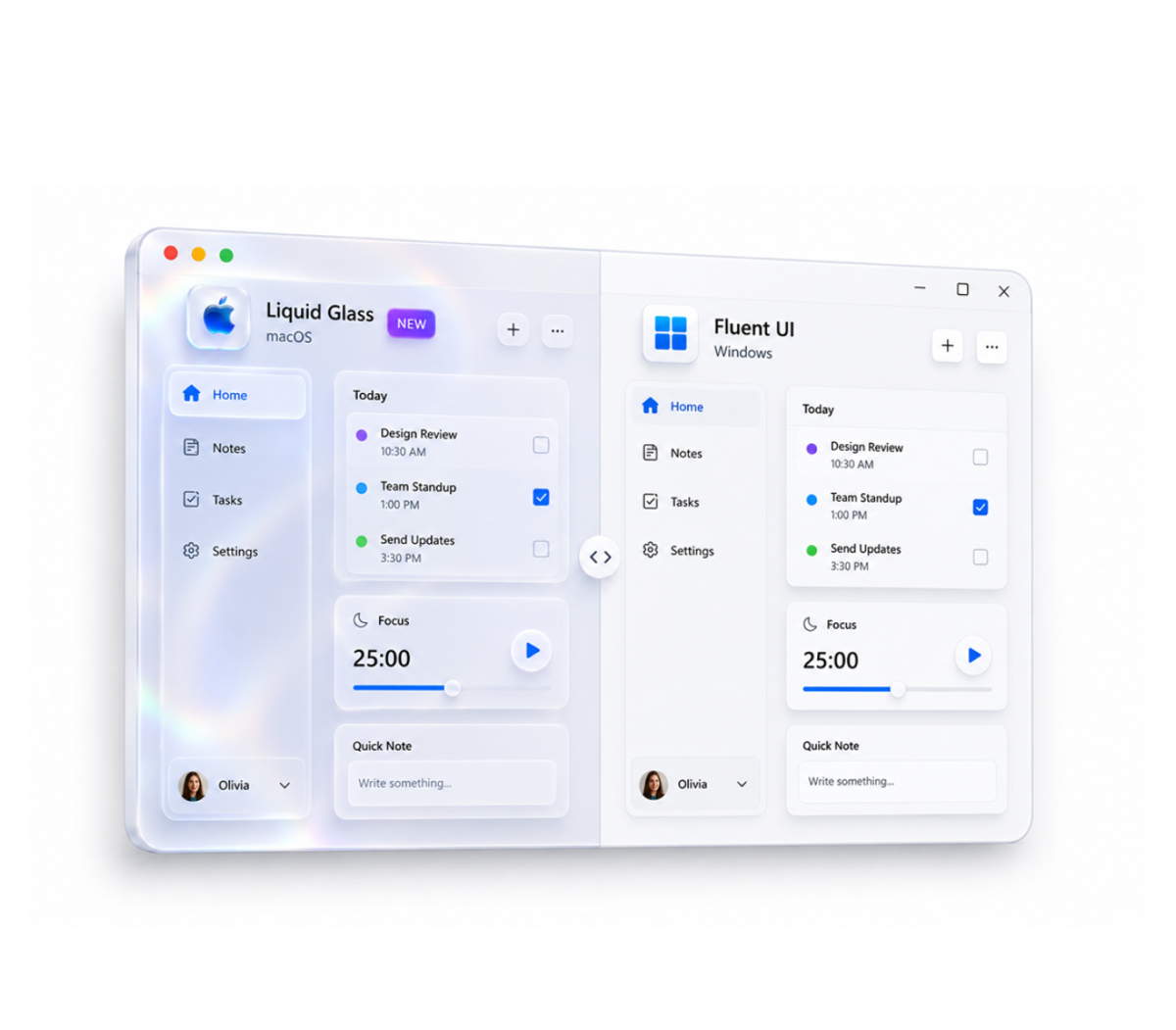
Modernize applications across macOS and Windows while preserving existing forms, logic, and workflows.
Forms on macOS now adopt the Liquid Glass design language, bringing updated transparency, spacing, and visual feedback that align applications with the latest platform experience. The Object Library also expands support for modern design systems, allowing components to render with Fluent UI on Windows and Liquid Glass on macOS while keeping the same form definitions across platforms. Teams can refresh the user experience without redesigning interfaces or maintaining separate implementations for each operating system.
The modernization extends beyond the screen. Forms using these interface styles are automatically optimized for printing, preserving layout and data while transforming visual effects into clean, paper-friendly output.
Network
Modernize networking and react to mailbox events in real time
Keep applications aligned with supported networking technologies while reducing delays in email-driven workflows.
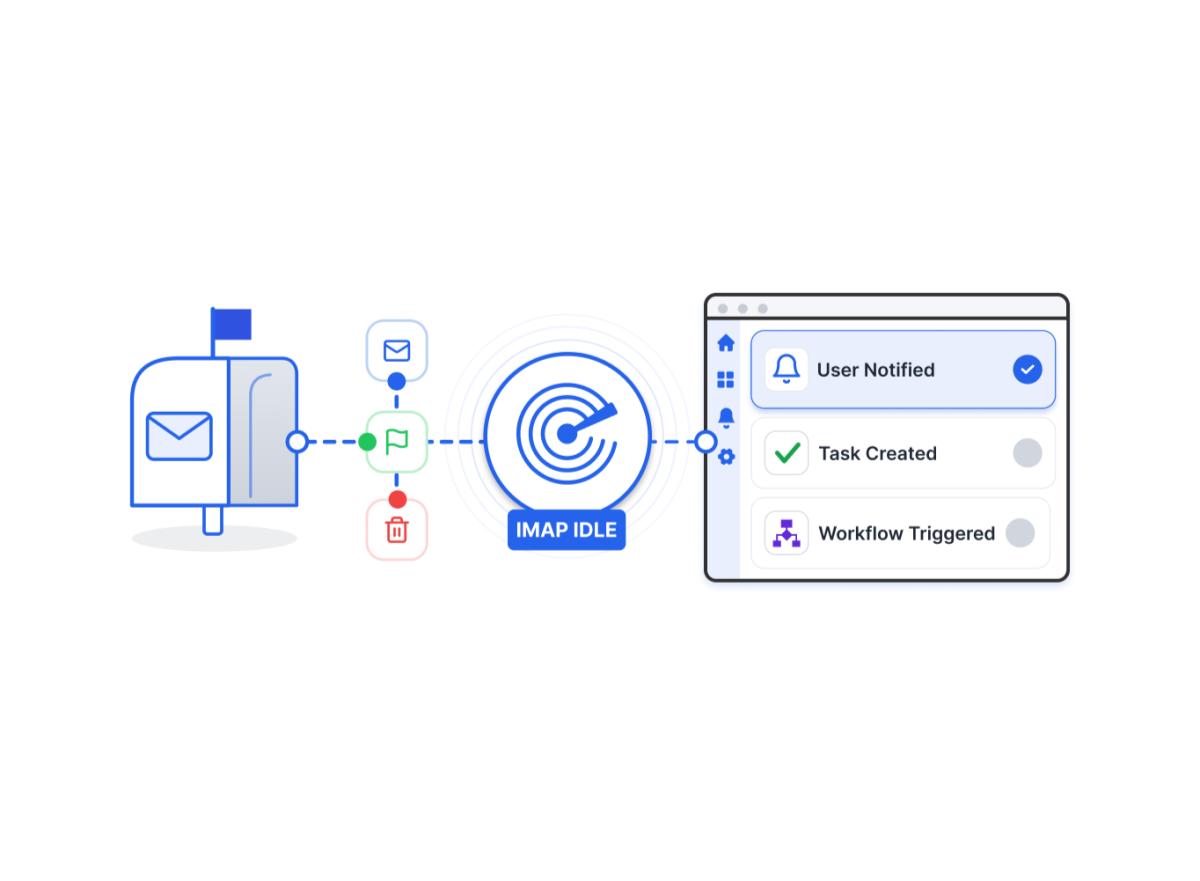
IMAP Transporter now supports the IDLE protocol, allowing applications to listen for mailbox events such as new messages, deleted emails, and flag changes without relying on scheduled polling. Mailbox-driven processes can react immediately to changes, reducing unnecessary server requests while keeping users and workflows synchronized with real-time activity.
Networking configuration has also been streamlined. The Legacy network layer has been removed, and existing applications are automatically migrated to ServerNet, simplifying the transition to supported networking technologies and making it easier to adopt QUIC when UDP is available in your environment.
4D Write Pro
Structure documents with hierarchical numbering
Maintain consistency across long documents without manually managing numbering.
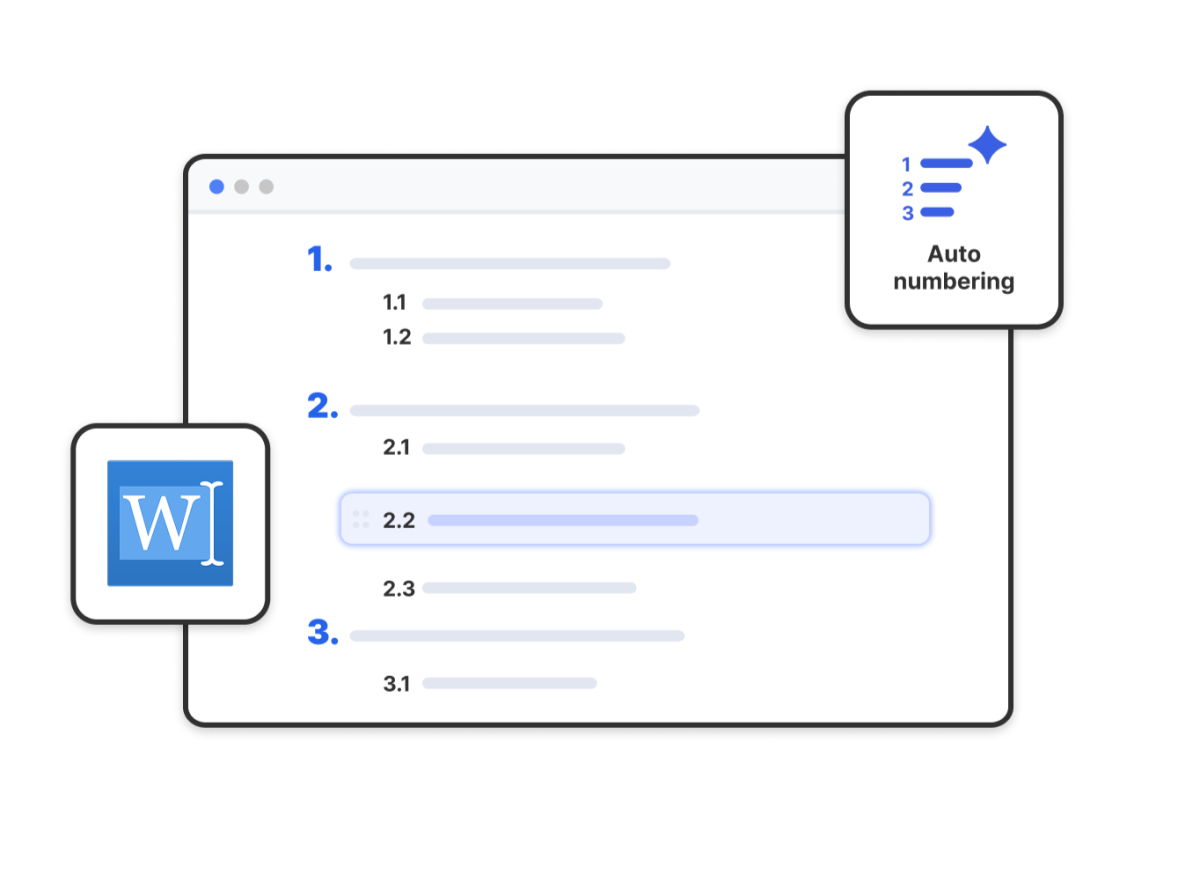
Hierarchical numbered lists allow sections, subsections, and nested content to follow a structured numbering system that updates automatically as documents evolve. Reports, contracts, technical specifications, and compliance documents remain organized even when content is added, removed, or reorganized, reducing the time spent maintaining document structure manually.
4D Language
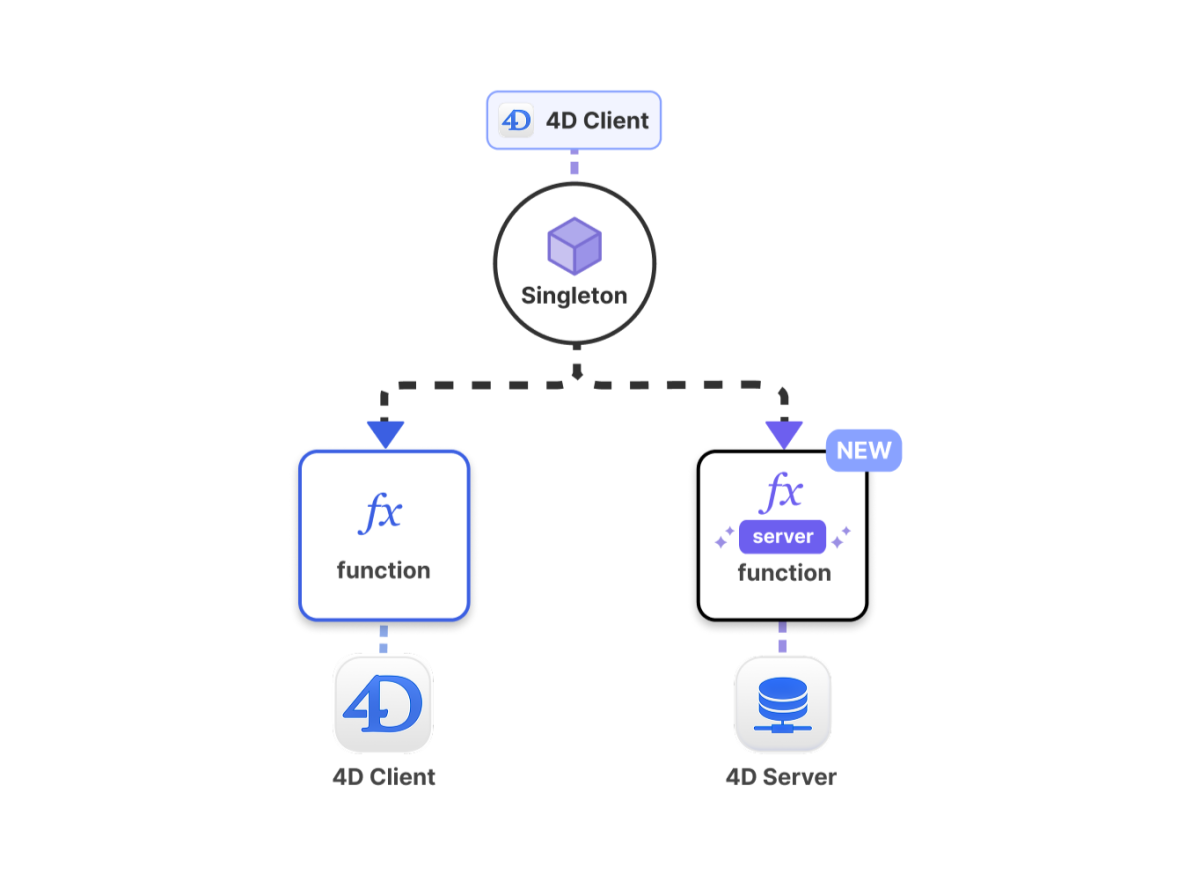
Access sessions and execute singleton logic where they belong
Keep authentication, session management, and shared application logic closer to where it is used.
Session information is now directly accessible from the 4D Client, while Shared and Session singleton functions can explicitly execute on the server through the server keyword. Authentication flows, session-aware features, and shared business logic can remain inside the classes that own them, reducing coordination code and making client-server applications easier to maintain as they grow.
Turn dynamic text into executable methods
Introduce dynamic behavior without sacrificing reliability or maintainability.
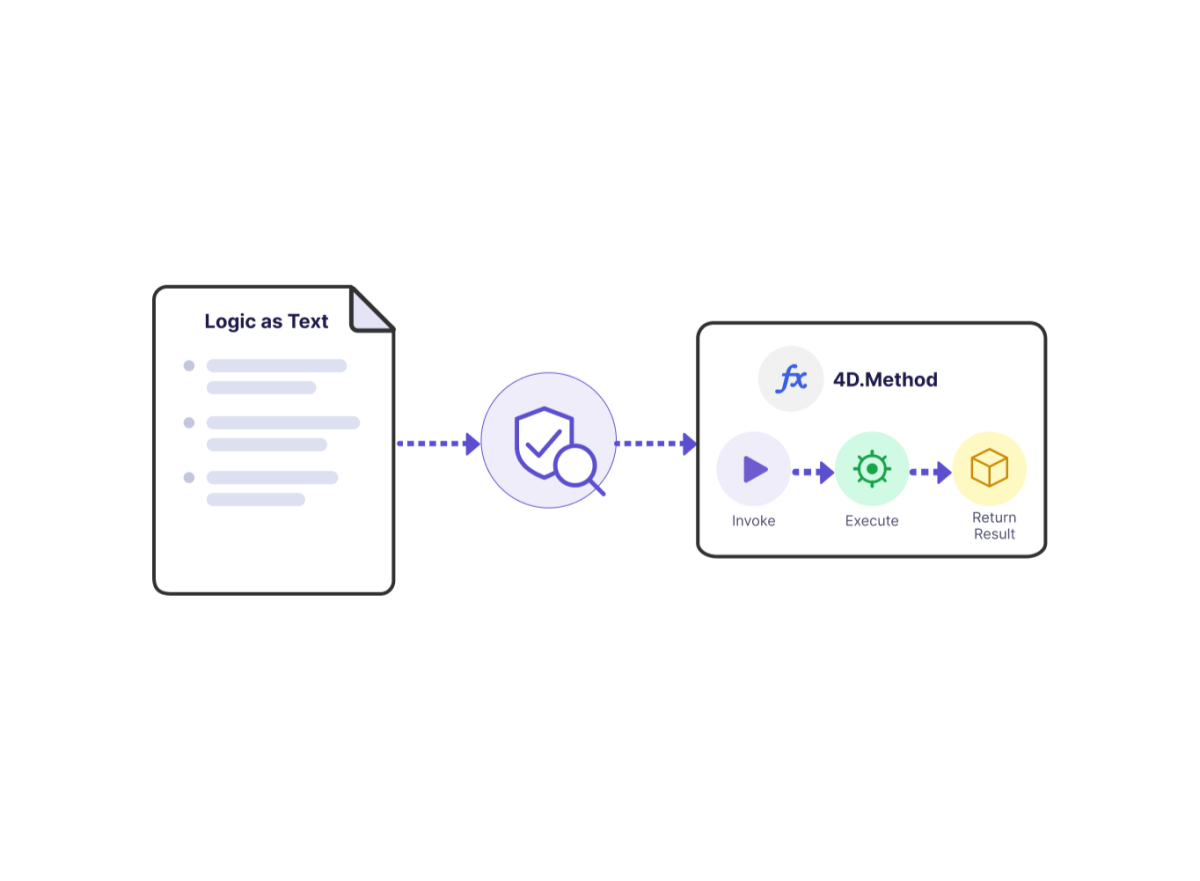
The new 4D.Method class turns code stored as text into executable methods that can be validated before execution and invoked like native 4D methods. Dynamic business rules, configurable workflows, and externally managed logic can be introduced without building custom execution frameworks, making runtime customization easier to control and evolve over time.
Validate JSON with modern schema support
Keep validation rules consistent across applications, APIs, external systems, and AI integrations.
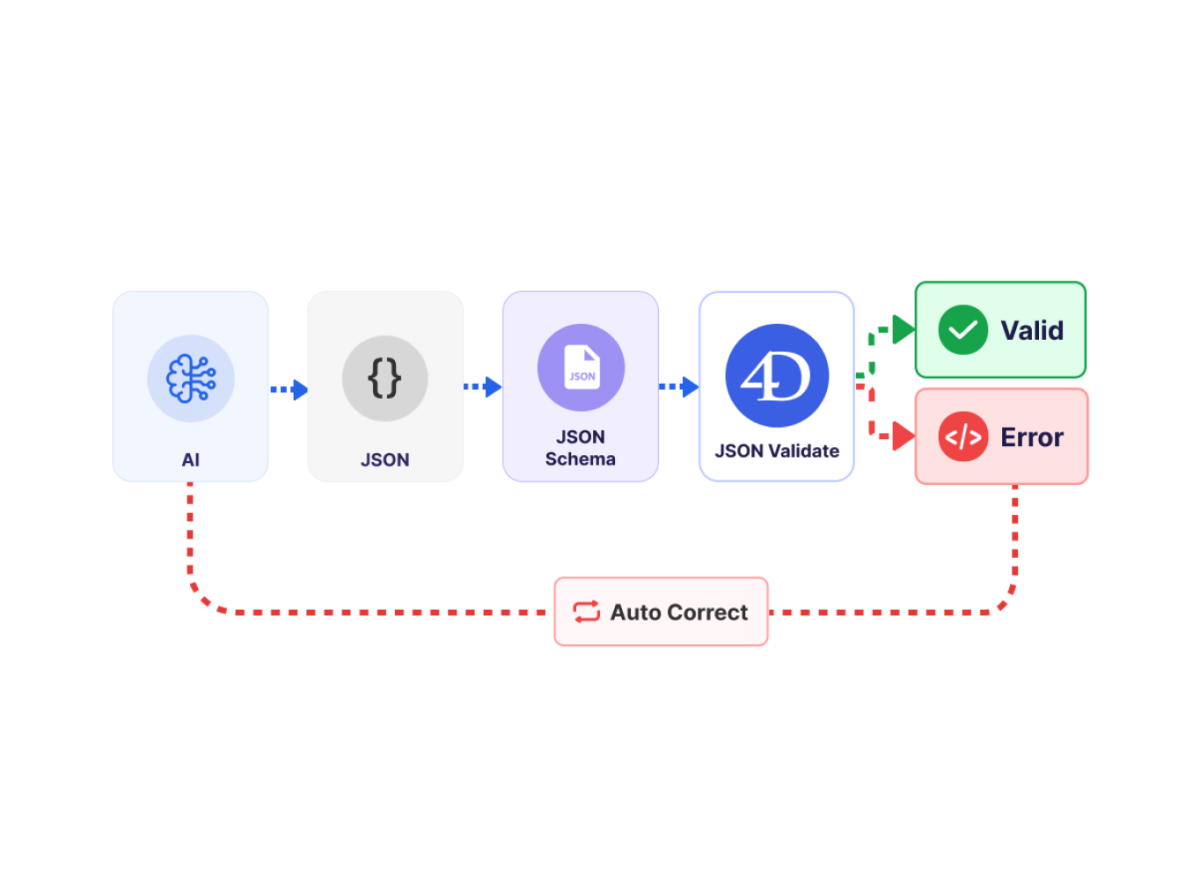
Support for JSON Schema Draft 2020-12 introduces conditional logic, advanced constraints, and improved format validation, allowing more validation rules to live directly in the schema instead of being duplicated in code. Validation requirements can be shared across systems and applied consistently to both traditional integrations and structured AI outputs. As organizations expand the use of AI in customer experiences, workflow automation, and decision support, the same schemas help ensure generated data remains aligned with business requirements, making it easier to bring AI-powered capabilities into production workflows while maintaining trusted data across the application ecosystem.
Catch command parameter issues earlier
Identify invalid command usage while writing code instead of discovering it later.
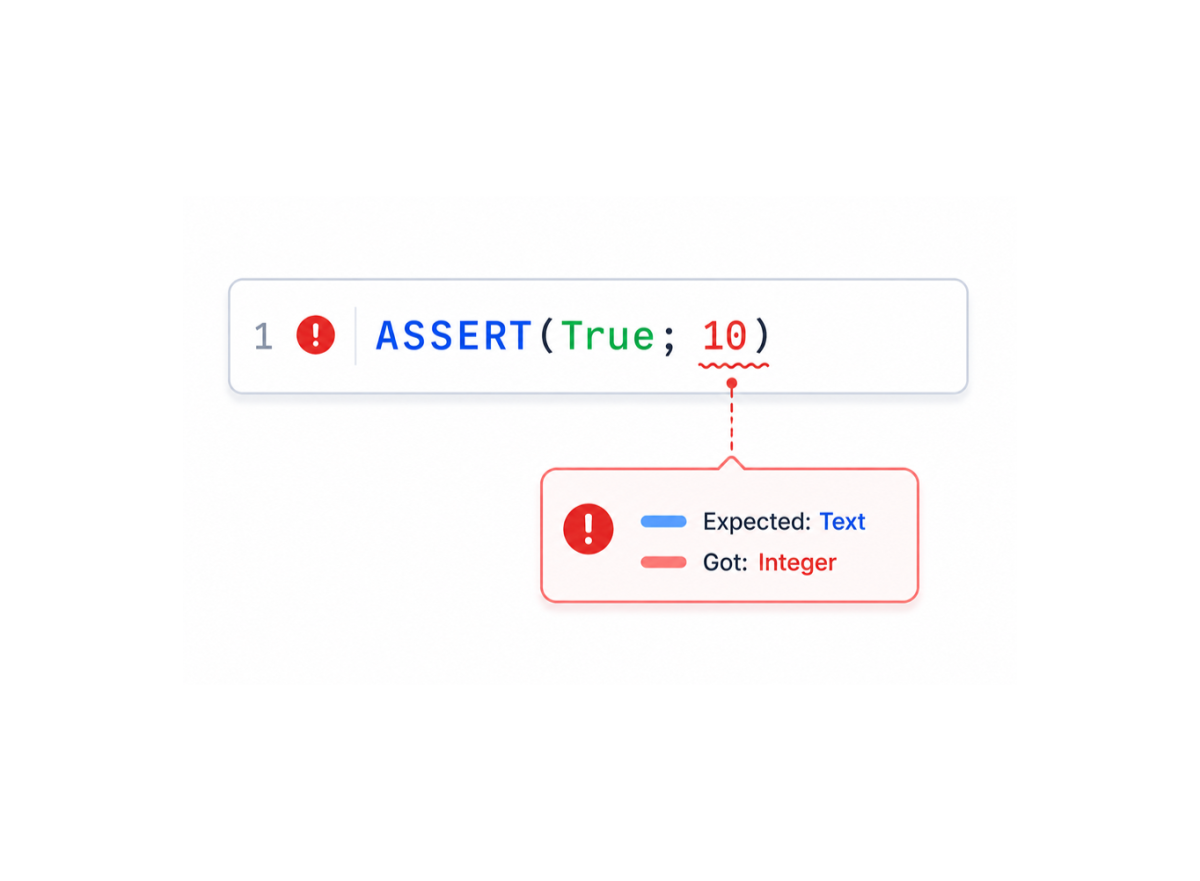
Enhanced syntax checking now validates command parameters directly in the editor using documented types and signatures. More precise feedback helps developers catch mistakes before runtime, reducing debugging effort and helping teams deliver more reliable code with greater confidence.
4D Components
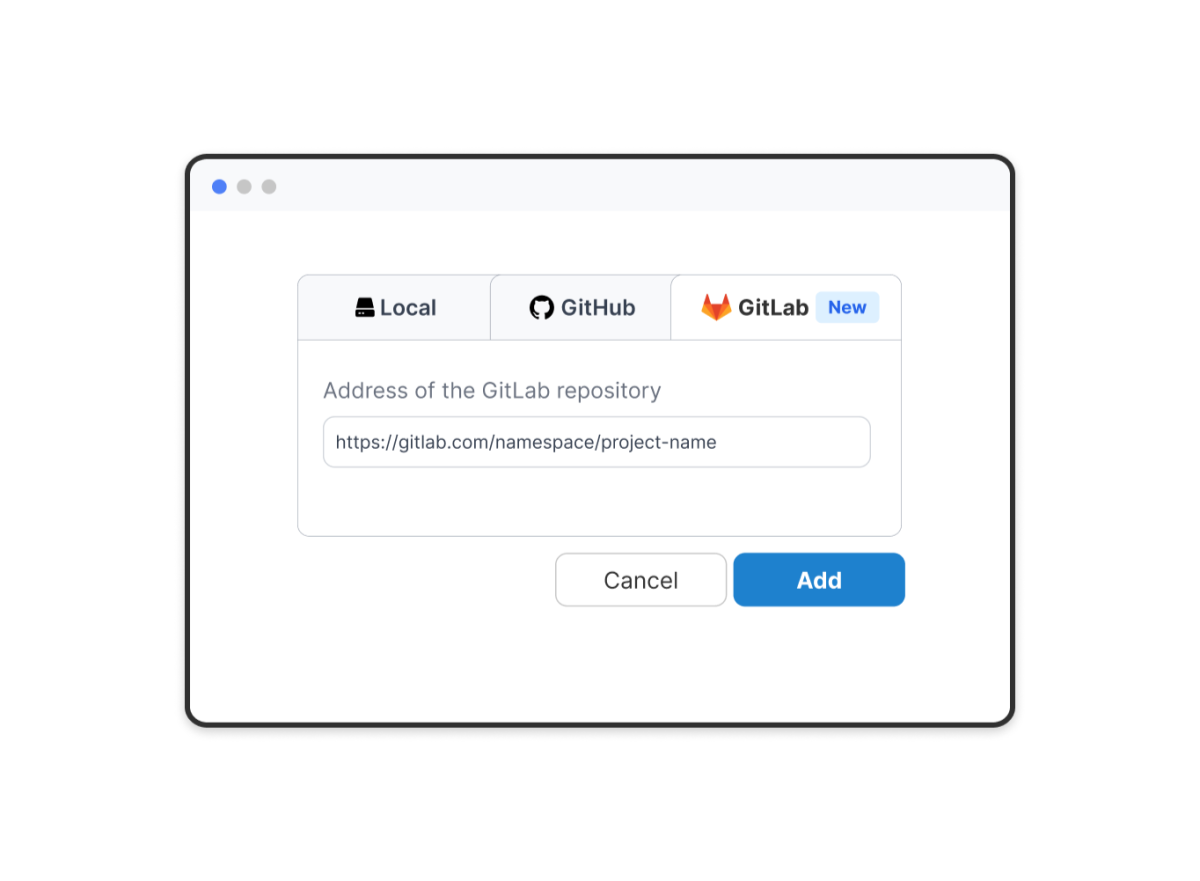
Manage GitLab component dependencies from 4D
Extend your component ecosystem while keeping dependency management centralized and predictable.
Components can now be added directly from public or private GitLab repositories through the Project Dependencies interface. Version selection, updates, and dependency management follow the same workflow regardless of where components are hosted, helping teams standardize component usage and maintain consistency across projects and deployment environments.
Visual Studio Code Extension
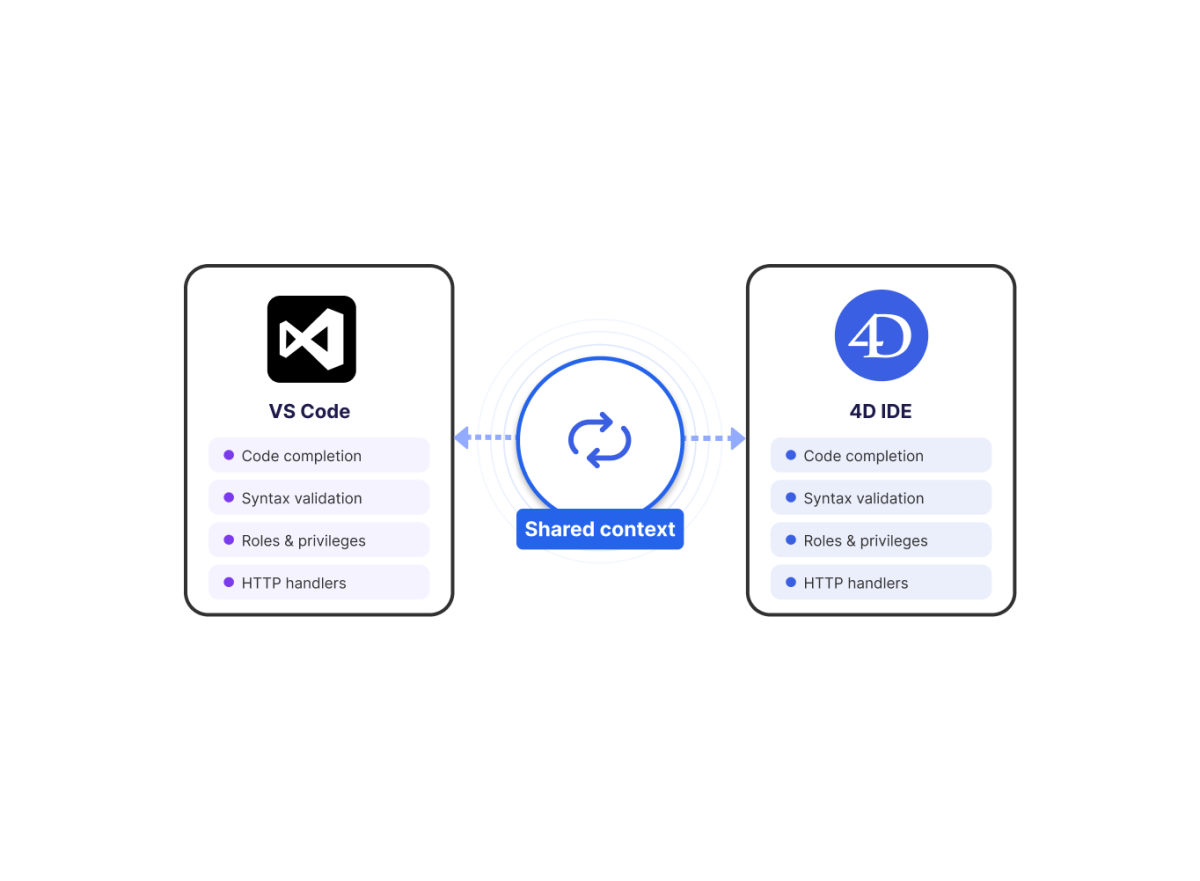
Work with the same project context as the 4D IDE
Keep code completion, validation, and project configuration aligned across development environments.
The 4D Analyzer extension now recognizes project dependencies the same way as the 4D IDE, improving the accuracy of syntax checking and code completion. Dedicated visual editors for roles, privileges, and HTTP handlers also simplify configuration management by reducing the need to work directly with structured files. Teams can move between VS Code and the 4D IDE with greater confidence, knowing both environments understand the project in the same way.
Security
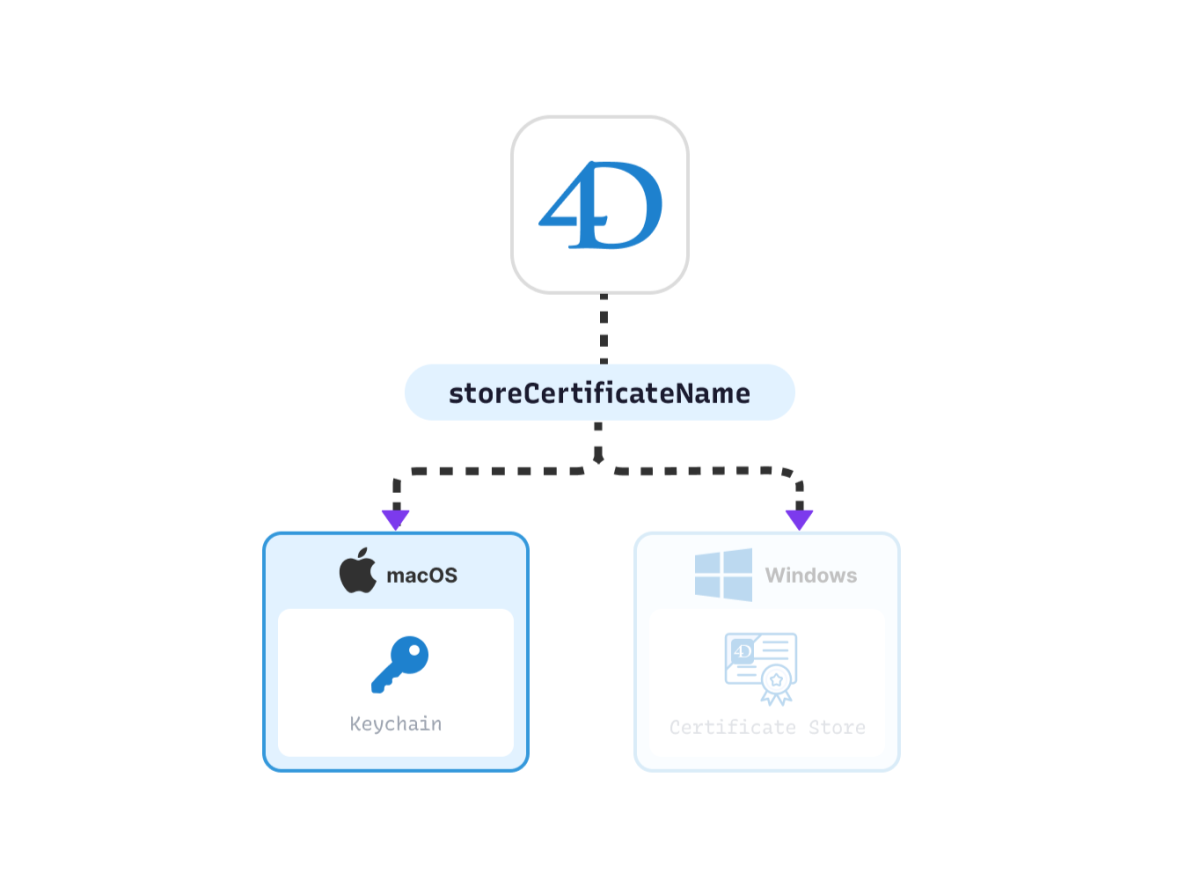
Use macOS Keychain certificates in HTTPS requests
Simplify certificate management while keeping security practices aligned with the operating system.
HTTPS requests and HTTP agents can now use certificates stored directly in the macOS Keychain. Certificates remain managed by the operating system instead of being distributed with applications, simplifying deployment while keeping certificate handling consistent across macOS and Windows environments.
 Discover all the
 Download
 Upgrade to